Home / How it works
How ezRushes works on set
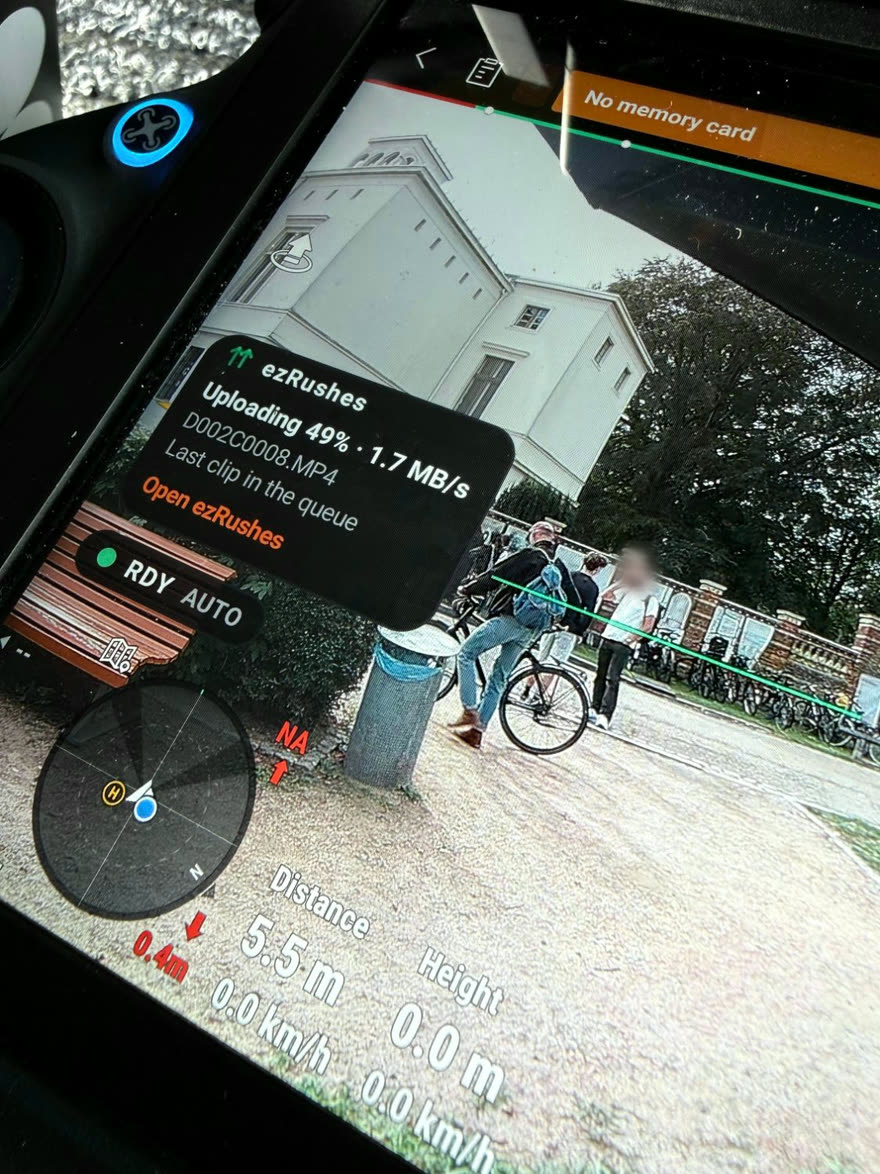
You fly as usual. The ezRushes app on your DJI smart controller sends every take to your own review portal while you are still in the air — and your client watches, picks and comments from wherever they are.
Before the shoot
- Register and pick your portal address, for example your-name.ezrushes.com. Your logo, company name and colours make it look like your own.
- Install the app on the remote: open ezrushes.com/install in the remote’s browser — it takes about three minutes.
- Pair the remote with a 6-character code. Pair as many remotes and aircraft as you like; there is no per-device fee.
- Create a project for the job and send your client the link and PIN — or a QR code for PIN-free access. Nothing in your portal is ever public.
During the flight
DJI already writes a low-res proxy of every clip on the remote while you record — around 6–9 Mbit/s H.264. When you stop recording, ezRushes picks that proxy up and uploads it in the background. Your originals stay untouched on the drone’s media.
- Internet comes from Wi-Fi. A phone hotspot works; on set, a dedicated LTE hotspot is the most reliable.
- Weak signal? Low-bandwidth mode makes a lighter copy of each take on the remote, about a third of the proxy’s size, so it still gets through at the edge of a field.
- No signal at all? Keep shooting. Clips wait in the queue and upload by themselves as soon as there is a connection; interrupted uploads resume where they stopped, also after a restart.
- Video link first. On the Inspire 3 you can hold uploads back while the drone is armed — they continue once it is back in standby.
- You always see where you are. A small status pill over DJI Pilot 2 or DJI Fly shows uploads, the queue and anything that needs attention.
In the portal, while you fly
Each clip appears in the project with a thumbnail, its folder and — on the Inspire 3 — the camera values read from the DJI Pilot 2 screen: lens, iris, shutter, EI, white balance, resolution and codec. Your client opens the link on a laptop, tablet or phone and:
- marks clips Select, Maybe or No and leaves comments per clip,
- watches log footage with a Rec.709 preview (D-Log for the Inspire 3, D-Log M for the Mavic series),
- downloads clips as proxies — unless you switch downloads off for a sensitive project.
You see new comments highlighted in your admin view, and you can hide any clip before the client sees it. When something is wrong, you find out while you are still on location — not in post.
After wrap
- The wrap check in the app tells you whether every clip of the day is on the server.
- When the job is done, archive the project: you get everything as a ZIP — video files with their metadata — and the storage is freed.
- Projects can expire automatically, so old jobs don’t fill your storage. On Free, projects are deleted 30 days after they were created; on Pro you decide.
Which remotes work?
DJI smart controllers with a built-in screen:
- DJI RC Plus — Inspire 3 (DJI Pilot 2)
- DJI RC Pro 2 — Mavic 4 Pro (DJI Fly)
- DJI RC Pro — Mavic 3 series (DJI Fly)
The RC-N series and the RC 2 / RC are not supported. Wondering how this compares to filming the monitor or pulling cards? See sharing drone footage with clients on set.
Try it on your next shoot — Free needs no card, and the install takes about three minutes.
Start free See pricing Install guide