Home / DJI RC Pro 2 · Mavic 4 Pro
Camera-to-cloud for the DJI Mavic 4 Pro
ezRushes runs on the DJI RC Pro 2 next to DJI Fly. Every take you record lands in your own review portal while the Mavic is still in the air — no laptop, no card pull.
How it works on the RC Pro 2
DJI Fly keeps a low-res proxy of every clip on the remote. When you stop recording, ezRushes uploads that proxy in the background over Wi-Fi — a phone hotspot is enough. A small status pill over DJI Fly shows what is uploading, what is waiting and whether anything needs attention.
- Patchy signal: uploads resume where they stopped; clips wait in the queue until there is a connection.
- Low-bandwidth mode: the remote makes a lighter copy of each take, about a third of the proxy’s size.
- Free up space: once your portal holds a clip in full, ezRushes can delete it from the DJI cache on the remote — the clip stays in the app’s list with its thumbnail.
Review in Rec.709
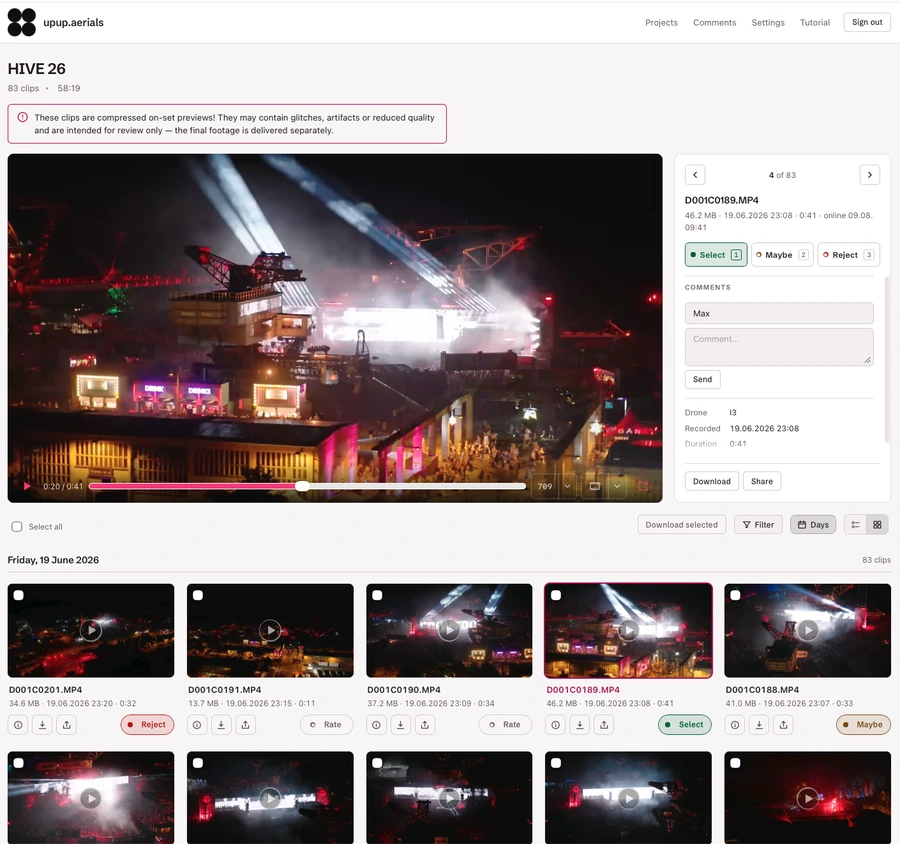
Shooting D-Log M? The portal player converts it to Rec.709 with DJI’s official conversion, so your client judges the shot, not the flat log image. Clients mark clips Select, Maybe or No and comment per clip — on a laptop, tablet or phone.
Set up in three steps
- Register and pick your portal address.
- Open ezrushes.com/install in the RC Pro 2 browser and install the app; select the DJI Fly cache folder once when the app asks.
- Pair the remote with the 6-character code — clips start flowing.
Running an Inspire 3 as well? See RC Plus / Inspire 3. Older Mavic 3 series: RC Pro / Mavic 3. One account covers all your remotes, with no per-device fee.
Try it on your next shoot — Free needs no card, and the install takes about three minutes.
Start free See pricing Install guide